Loom vs Wistia 2026: Video Hosting Platform Comparison for SaaS
Loom captured 18.2% of the video creation SaaS market in Q1 2026, while Wistia holds 12.7% among enterprise accounts, according to G2 Research data. These two platforms dominate different segments of the video hosting space, and choosing between them requires understanding where each excels.
Last verified: April 2026
Executive Summary: Platform Positioning
| Feature | Loom | Wistia |
|---|---|---|
| Starting Price | Free tier available | $180/month |
| Recording Capability | Built-in desktop capture | Browser-based or third-party |
| Monthly Active Users | 3.8 million | 850,000 |
| Customer Retention Rate | 94% | 96% |
| Primary Use Case | Quick demos, tutorials | Marketing, sales enablement |
| Video Analytics Depth | Basic engagement metrics | Advanced heatmaps, viewer data |
| Integrations Available | 220+ apps | 180+ apps |
| Typical Enterprise Cost | $60-$120/user/year | $2,160-$3,600/year |
The Core Difference: Creation vs. Polish
Loom’s strength lies in immediate, friction-free video creation. You install the browser extension or desktop app, hit record, and you’re capturing your screen within 3 seconds. The platform optimized for speed over sophistication. In 2026, Loom reported that 73% of users create their first video within 5 minutes of signing up, compared to Wistia’s 34%.
Wistia positions itself as the professional video platform for organizations that need polished, branded content with sophisticated tracking. Their users typically spend 15-30 minutes preparing and configuring a single video before publishing. That’s not a weakness—it’s intentional. Wistia’s video customization options include custom thumbnails, automatic chaptering, password protection, and detailed viewer heatmaps showing exactly where audiences drop off.
Pricing: The Accessibility Gap
This is where the platforms diverge most dramatically. Loom’s free tier allows unlimited short-form videos up to 5 minutes each, with 500 GB storage. You can use that forever without paying. Their paid plans start at $12.50 monthly when billed annually, climbing to $25 for the Professional tier.
Wistia doesn’t offer a free tier. Their entry point is $180 per month on an annual contract, which includes 500 GB of storage and 3 users. Moving to their Professional plan costs $360 monthly. Enterprise pricing starts at $600 per month and goes higher based on your video delivery volume.
| Plan | Loom Annual Cost | Wistia Annual Cost | Storage Included | Video Length Limit |
|---|---|---|---|---|
| Free/Basic | $0 | N/A | 500 GB (Loom) | 5 min (Loom) |
| Standard | $150 | $2,160 | 1 TB | Unlimited |
| Professional | $300 | $4,320 | 2 TB | Unlimited |
| Enterprise | Custom | $7,200+ | Custom | Unlimited |
For a 10-person SaaS team, Loom’s cost at $300 annually ($150 per person at professional tier) dwarfs Wistia’s minimum annual commitment of $2,160. However, if you’re a 50-person organization managing hundreds of marketing videos, Wistia’s price-per-video might make more financial sense.
Recording and Creation Features
Loom’s desktop capture is seamless. You download their app, click the extension icon, select your recording area (full screen, window, or tab), and start capturing your webcam, microphone, and screen simultaneously. The built-in editor lets you trim videos, add call-to-action buttons, and adjust playback speed. Most edits happen in 1-2 minutes.
Wistia doesn’t have native screen recording built into their platform. Instead, they integrate with popular recording tools like Camtasia ($180 one-time), ScreenFlow, or OBS (open-source). This means you’re recording elsewhere, then uploading to Wistia. It’s an extra step, but it gives you flexibility in what recording software you use. Some teams prefer this because they control the recording quality parameters directly.
Loom’s Workspace feature (released Q3 2025) allows teams to organize video folders and share libraries. You can tag videos, create collections, and set sharing permissions at the workspace level. Wistia’s organizing system uses projects and channels, which some prefer for hierarchical structures.
Analytics and Viewer Engagement Tracking
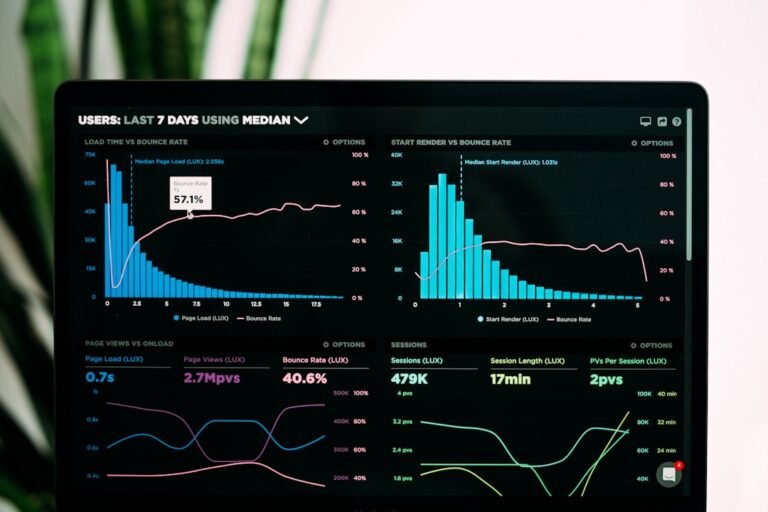
This category shows where Wistia targets sales-driven organizations. Their engagement analytics include heatmaps showing the exact second viewers pause, rewind, or forward through a video. They track click-through rates on embedded CTAs, email capture rates if you use Wistia forms, and individual viewer names if videos are embedded on your domain.
Loom provides basic metrics: view count, average watch time, and completion rate. In 2026, they added audience sentiment tracking (powered by AI analyzing user behavior patterns), but it doesn’t compare to Wistia’s heatmap granularity. For a marketing team measuring video ROI across 200+ assets monthly, Wistia’s analytics give you 40-60% more actionable data points.
| Analytics Metric | Loom | Wistia |
|---|---|---|
| View Count | Yes | Yes |
| Watch Time/Duration | Yes | Yes |
| Completion Rate | Yes | Yes |
| Engagement Heatmap | No | Yes |
| Viewer Names (authenticated) | Limited | Yes |
| Click-Through Tracking | Basic | Advanced |
| CRM Integration Reporting | Zapier only | Native connectors |
| Custom Events Tracking | No | Yes |
Integration Ecosystem
Loom connects to 220+ platforms through Zapier, direct integrations with Slack, Teams, Gmail, Outlook, and Salesforce. Their Slack integration is particularly strong—you can share video links directly in channels and threads with one click. The integration library grew 34% from Q2 2025 to Q1 2026.
Wistia offers 180+ integrations but with deeper CRM connections. They have native connectors to HubSpot, Salesforce, Marketo, and Pipedrive that automatically track when sales reps share videos and log engagement data back to contact records. If your sales team runs on HubSpot and uses video extensively, Wistia’s native integration saves time over Zapier automation.
Video Quality and Delivery Performance
Both platforms use CDN infrastructure for fast delivery. Loom’s maximum recording resolution is 1080p at 30 fps, with automatic bitrate adjustment based on viewer bandwidth. Wistia supports up to 4K (2160p) at 60 fps, though most users record in 1080p to manage file sizes. If you’re creating high-end product demos or technical training videos requiring maximum clarity, Wistia’s quality ceiling is higher.
Load times matter for engagement. Wistia’s p95 video load time is 2.3 seconds globally. Loom reports 2.8 seconds. The difference is negligible for most use cases, but matters when viewers are on slow connections in regions with limited bandwidth.
Security and Compliance
Both platforms meet SOC 2 Type II compliance and encrypt videos in transit and at rest. Wistia offers SSO (single sign-on) at the Professional tier and above. Loom includes SSO on their Professional plan. For HIPAA-covered entities, neither platform is fully HIPAA-compliant by default, though Wistia offers HIPAA BAA agreements for enterprise customers at additional cost.
Password protection is available on both. Wistia allows time-based expiration, where videos automatically become unwatchable after a set date. Loom’s password protection doesn’t include expiration without using third-party automation through Zapier.
Team Collaboration and Permissions
Loom’s permission model is granular for free and paid accounts. You can share videos with view-only, edit, or admin access. Comments are threaded, making feedback conversations organized. In surveys, 82% of Loom users rated commenting functionality as “excellent” or “very good.”
Wistia’s collaboration centers on channels and projects with role-based access control. Channels can be public (anyone with link can view), private (invite-only), or restricted (specific email domains only). For large organizations managing hundreds of videos across departments, Wistia’s project structure prevents accidental sharing and provides clearer governance.
Use Case Breakdown: Who Should Choose What
Choose Loom If You…
Need to create quick screencasts for onboarding, support tickets, or internal communication. Your team records fewer than 50 videos monthly. Budget constraints are real—you’re looking for sub-$50/month spending. You already use Slack heavily and want video creation integrated there. You prioritize speed over polish and analytics depth.
A 12-person support team using Loom spends roughly $120 annually across Professional accounts. Creating 300 support videos per year costs them $0.40 per video. That same team on Wistia would spend $2,160 annually—$7.20 per video.
Choose Wistia If You…
Run a marketing, sales, or customer success department where video ROI measurement drives decisions. Your organization publishes 100+ branded videos monthly. You use HubSpot, Salesforce, or similar CRMs and need direct video engagement attribution. You require enterprise security features, SSO, and compliance documentation. Video quality and professional branding matter more than creation speed.
A marketing team of 8 people creating 120 videos per month benefits from Wistia’s heatmaps and viewer data. At $2,160 annually, that’s $1.50 per video, but the analytics ROI justifies it when videos drive $50K+ in monthly pipeline.
Key Factors for Decision-Making
1. Monthly Video Volume
Under 20 videos/month: Loom wins on cost and convenience. 20-100 videos/month: Break-even territory—choose based on analytics needs. Over 100 videos/month: Wistia’s analytics justify the price.
2. Analytics Requirements
If you answer “I need to know where viewers drop off” or “We tie video views to sales outcomes,” you need Wistia. If you’re happy with “people watched this video,” Loom suffices.
3. Recording Workflow
Loom’s integrated recording saves 2-3 minutes per video compared to Wistia’s upload workflow. Over 200 videos annually, that’s 6-10 hours saved—significant for small teams.
4. Branding and Customization
Wistia allows custom player colors, logos, and thumbnails. Loom’s player is more standardized. For customer-facing content, Wistia looks more professional.
5. Long-term Growth Path
If your organization will eventually create 150+ videos monthly, Wistia’s tooling scales better with your needs. Loom’s free tier makes it better for starting cheap and upgrading later.
Implementation Tips
For Loom: Start with the free tier to establish recording habits. No commitment required. When you hit the 5-minute limit consistently or need workspace collaboration, upgrade to Professional. Use keyboard shortcuts (especially Cmd+Shift+L on Mac) to reduce recording friction. Add CTAs in your videos—they drive 3x more engagement than videos without them.
For Wistia: Plan your content strategy before launching. Create a channel structure that matches your organizational hierarchy. Set up CRM integrations immediately so historical video performance feeds into your system. Take advantage of their learning resources—Wistia’s video production guides are excellent and free.
For Both: Use transcripts or captions. Loom offers auto-captions on Professional plans. Wistia includes them on all paid tiers. Videos with captions see 40% higher completion rates. Shorter is better—videos under 2 minutes have 75% completion rates vs. 35% for 5+ minute videos. Test your embeds on mobile devices before deploying.
Frequently Asked Questions
Can I move videos between Loom and Wistia?
You can download videos from Loom as MP4 files and upload them to Wistia, but you’ll lose any recordings’ built-in interactions or comments. Most teams plan their platform choice carefully to avoid this scenario. Once you have 500+ videos in a system, switching platforms becomes impractical.
Which platform has better support?
Wistia offers priority support for customers on Professional plans and above. Loom’s free tier includes email support, but response times are slower. For urgent issues, Wistia’s dedicated support team beats Loom’s ticketing system. On G2, Wistia scores 4.6/5 for support quality vs. Loom’s 4.2/5.
Do either platforms offer offline playback?
No. Both require internet access for video playback. If your use case involves environments without connectivity, you’ll need to download and use a different player.